A Little Makeover and a Few Big Updates
Your shifts keep you busy enough and keeping track of them should be the easy part. This October, Just the Tips is getting a little freshening up, with new tax features, a redesigned home screen, workplace colors, and a cleaner way to manage your positions. Here’s a quick tour of what’s new, where to find it, and how it can make tracking your workday a little easier. This is scheduled to release within the next few weeks for both Android and iOS!
The Home Screen Redesign
To kick things off, the Home Screen has gotten a few key updates and a major facelift. Android on the left, iOS on the right.
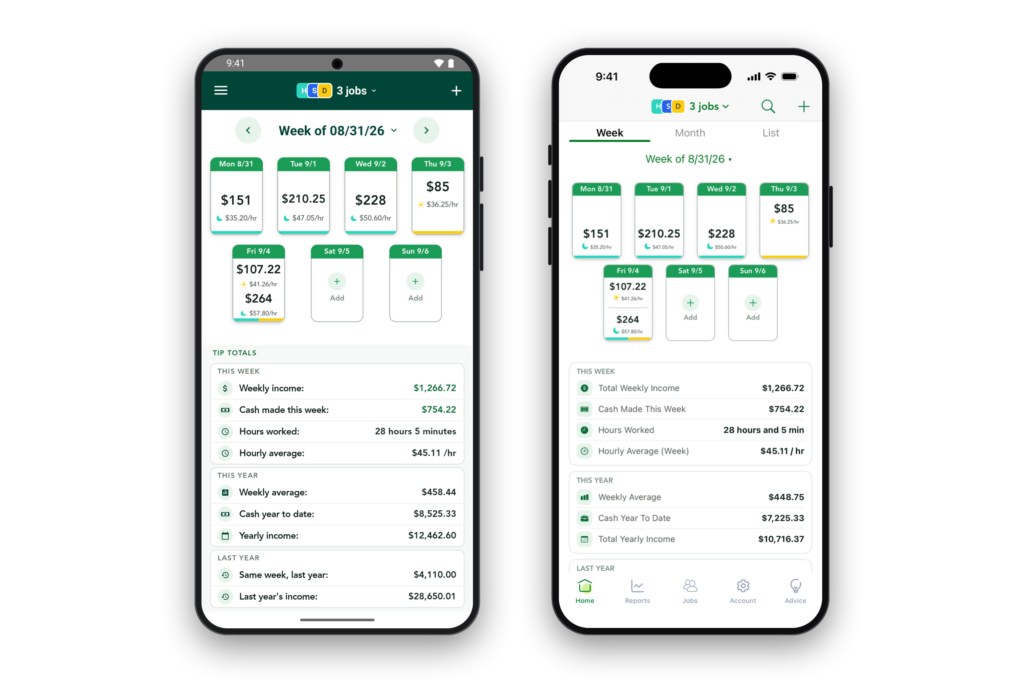
You’ll notice right away the cleaner design overhaul to the squares, as well as the stats area below to show you how your week, year, and last year (when applicable) are doing. I’m really happy with where this landed and I think the overall experience is cleaner. The month and list view also got an update, so let me know how you enjoy it.
If you work multiple jobs, you’ll now see each job has colors that correspond to that workplace! This is now consistent throughout the app, as well.
Next, and probably the biggest change of all, is the fact you can now group all of your jobs together! This means if you want to see your weekly stats for multiple jobs you worked that week, you can now do so..And if you don’t want to, you can just select them one-by-one, so it’s very configurable. In addition, selecting between these jobs is much easier – I’ve gotten rid of the little persona icon on the top left, and replaced it with a nice clean multiple job selector that slides up from the bottom.
Workplaces Now Get Colors!
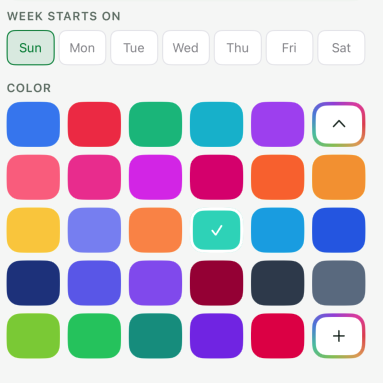
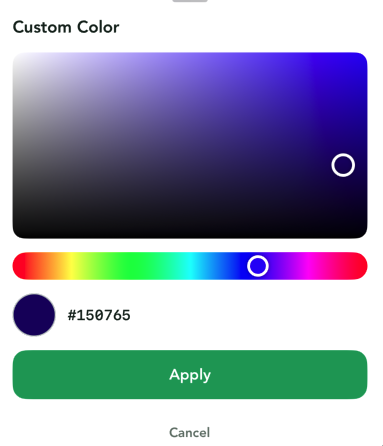
That’s right – Colors! This was a fun one. On the ‘jobs’ screen, you can now edit your workplace by tapping the pencil icon to choose from 28 preset colors, or go wild and create your own if you’re particular like me and have something specific in mind!
 |  |
Job Screen Redesign
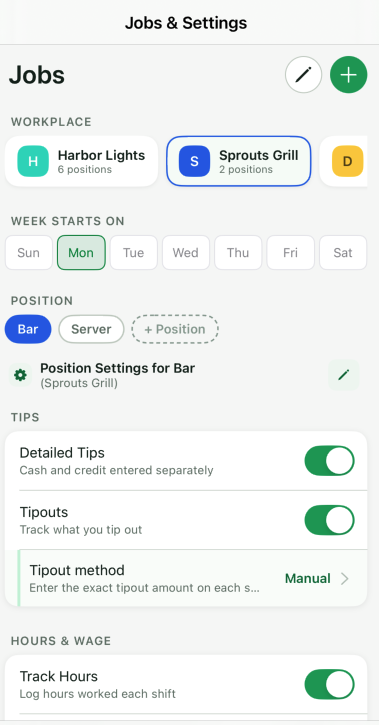
The job screen is now overhauled as well, making it much easier to edit your jobs, positions, and settings. It now features a sliding region to scroll between all jobs, a more intuitive pencil system to edit existing settings, and overall a cleaner user experience.
Tax Screen
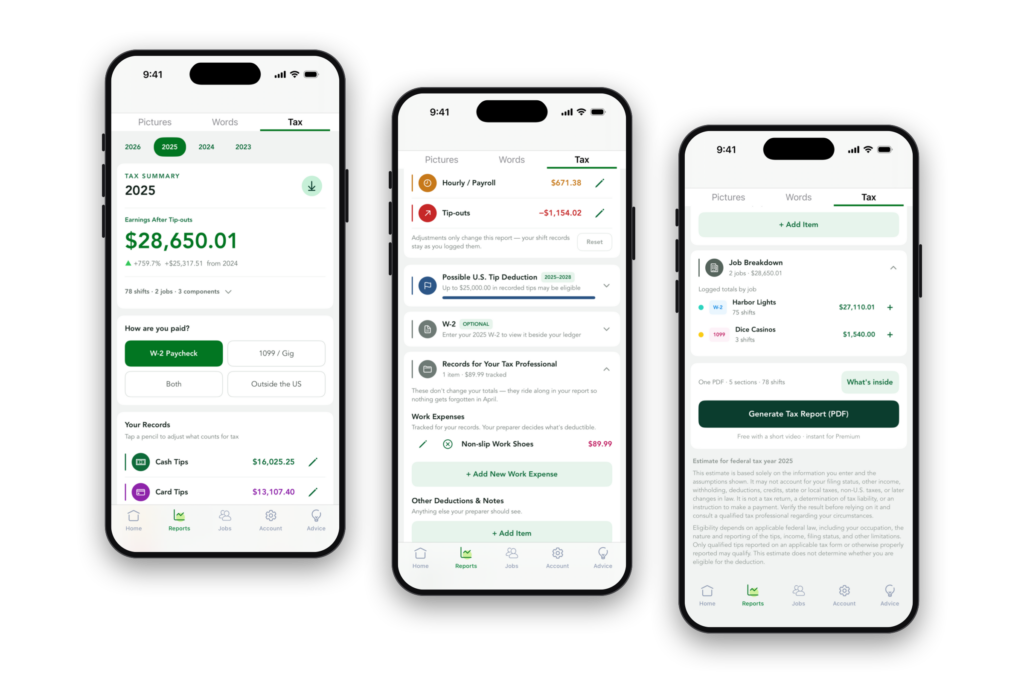
And saving the best for last, JTT now has a new section on the reports tab – Tax! Thank you all so much for your feedback, I’ve incorporated as much as I could and am happy with the end result. Please know this is still the first version of it, so if there’s anything that seems wrong, or you’d like to see, drop me a note on the contact page or info @ justthetips.com
Quick reminder: the Tax tab is a helper, not an accountant. It organizes what you’ve tracked so you and your tax person have a head start.. it doesn’t file anything, it can’t know your full situation, and it doesn’t decide whether you qualify for the No Tax on Tips deduction. Good numbers in, useful estimate out, and your tax professional still gets the last word. Here is the iOS screen, but it’s on Android too and both arrive this October. It includes quite a lot of ways to adjust what counts. Moreover, print out a PDF to bring with you or email for tax day.
Wrapping Up and What’s Next?
I hope you’ll enjoy using these new changes as much as I did creating them, and thank you all for the support and helping to make JTT what it is today. What’s next on the roadmap? Dark mode, for starters, was a big request, so be ready for that. Another will be taking pictures of print-outs (or other documents you want) and associating them to shifts. I’ll then turn my attention to advanced tip out calculations (letting you specify who you’ve tipped out to) as well as more reporting modules. After that, I have some really exciting features I don’t want to reveal yet but am confident will be an absolute game changer!
Thank you all and if there’s anything else you want to see, or have any questions, please let me know!